How SMS verification works
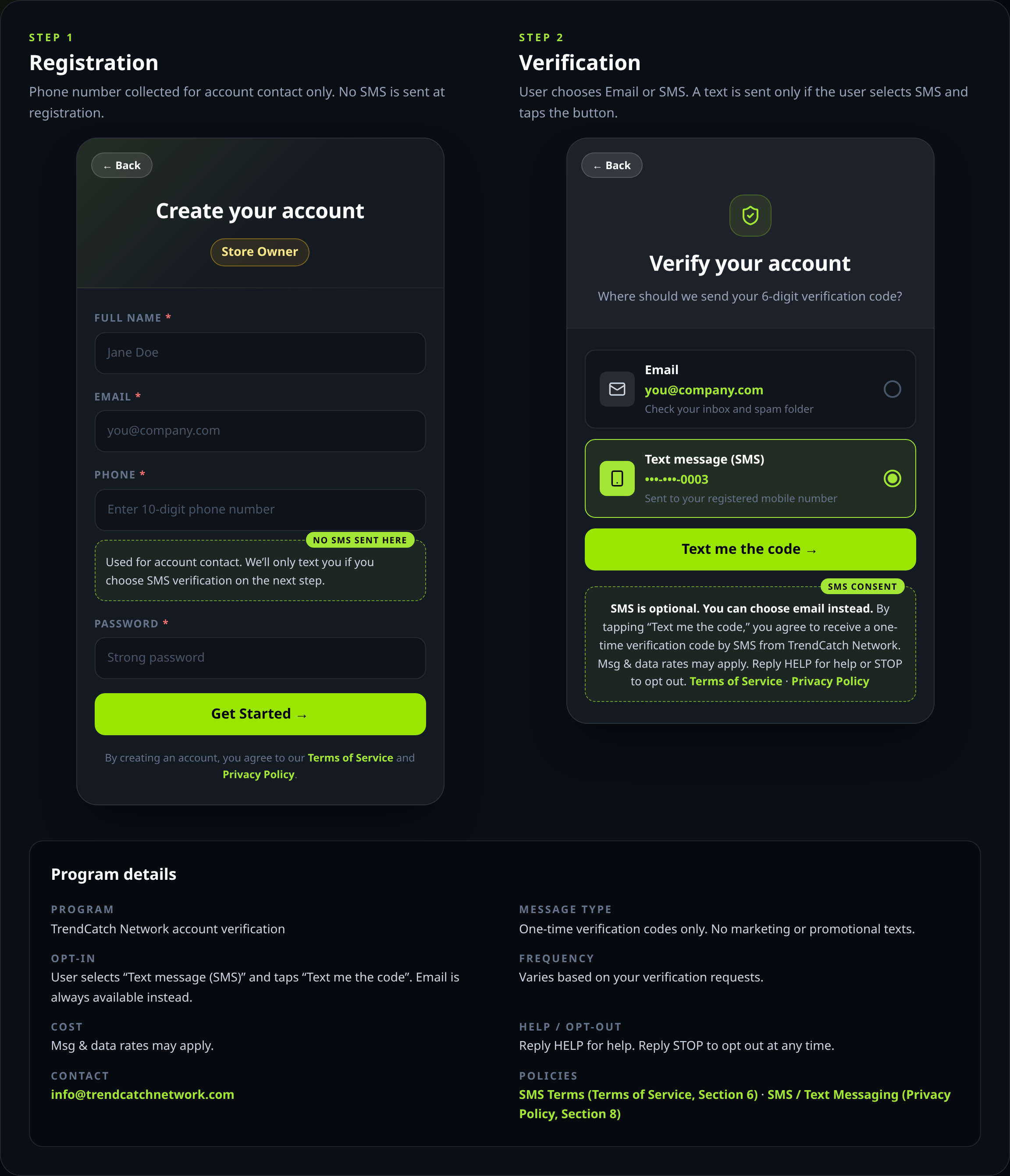
TrendCatch Network only texts a user when they choose SMS to verify their account. Below are the two screens a new user sees when signing up at trendcatchnetwork.com/register.
Step 1
Registration
Phone number collected for account contact only. No SMS is sent at registration.
← Back
Create your account
Store OwnerFull name *
Jane Doe
Email *
you@company.com
Phone *
Enter 10-digit phone number
No SMS sent here
Used for account contact. We’ll only text you if you choose SMS verification on the next step.
Password *
Strong password
Get Started →
By creating an account, you agree to our Terms of Service and Privacy Policy.
Step 2
Verification
User chooses Email or SMS. A text is sent only if the user selects SMS and taps the button.
← Back
Verify your account
Where should we send your 6-digit verification code?
Email
you@company.com
Check your inbox and spam folder
Text message (SMS)
•••-•••-0003
Sent to your registered mobile number
Text me the code →
SMS consent
SMS is optional. You can choose email instead. By tapping “Text me the code,”
you agree to receive a one-time verification code by SMS from TrendCatch Network. Msg & data rates may
apply. Reply HELP for help or STOP to opt out.
Terms of Service · Privacy Policy
Program details
- Program
- TrendCatch Network account verification
- Message type
- One-time verification codes only. No marketing or promotional texts.
- Opt-in
- User selects “Text message (SMS)” and taps “Text me the code”. Email is always available instead.
- Frequency
- Varies based on your verification requests.
- Cost
- Msg & data rates may apply.
- Help / opt-out
- Reply HELP for help. Reply STOP to opt out at any time.
- Contact
- info@trendcatchnetwork.com
Same flow as a single image: sms-optin.png